
So, you’ve decided to tame the beast that is Salesforce B2C Commerce Cloud (SFCC). Congratulations, and welcome to the jungle. If you’re feeling a bit overwhelmed by the sheer scale of the platform, with its myriad features, acronyms, and unique architectural quirks, don’t worry – we’ve all been there. SFCC isn’t just an e-commerce platform you can master over a weekend; it’s an enterprise-grade ecosystem, forged over decades, designed for the world’s biggest brands. Its complexity is a direct reflection of its power.
I’ve been in the commerce world for more than a decade, and I’ve dedicated a significant part of my career to mastering this platform. On this blog, I share my knowledge to help others succeed in the Ohana. I’ve written before about where to start your journey, but this post is different. This is the deep dive. This is the comprehensive guide I wish I had when I was starting out. We’re going to cut through the noise and build a foundational understanding from the ground up. We’ll cover the lay of the land, the tools of the trade, the core mechanics of development, and the hard-won lessons from the trenches.
So, roll up your sleeves, fire up your IDE, and let’s get started. This is your kickstart guide to becoming a formidable SFCC developer.
The Lay of the Land: Your First 10,000-Foot View In this Kickstart
Before you write a single line of code, you need to understand the map of the world you’re about to enter. SFCC has a specific structure and terminology that is fundamental to everything you’ll do. Getting this right from day one will save you countless hours of confusion.
Understanding the Realm & Instance Structure
At the highest level, your SFCC environments are organised into a Realm, which is a collection of instance groups allocated to your organisation. Within a realm, you have two primary types of instance groups:
Primary Instance Group (PIG): This is where the magic happens for your live site. It contains the three core environments that form the backbone of any project’s lifecycle:
Development: A shared environment for developers to integrate their work and for QA to test features.
Staging: A pre-production environment used for final testing, data replication, and client UAT. It’s meant to be a mirror of Production.
Production: The live storefront that serves your customers.
Secondary Instance Group (SIG): This group houses your Sandboxes. A sandbox is your personal development playground. It’s, when provisioned, an empty environment where you can test new ideas, develop features, and break things without any real-world consequences.
The flow is critical: developers work on features in their individual sandboxes. Once complete, the code is pushed and integrated into the shared Development instance. From there, it moves to Staging for final validation, and finally, it’s deployed to Production.
A word of warning: getting your hands on a sandbox is essential for learning. Watching webinars and reading documents can get tedious; you need to apply what you learn immediately. However, if you are not working for an official Salesforce partner or a customer, acquiring a sandbox can be extremely difficult (but not impossible). I explain the process in my article on getting a sandbox as a developer, but be prepared for this potential roadblock.
The Business Manager: Your Command Center
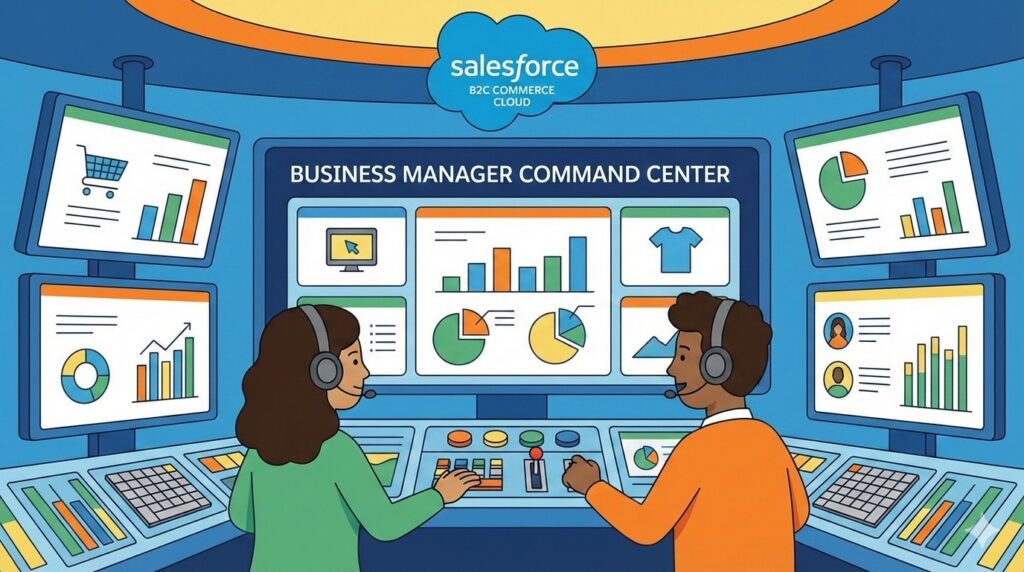
If the instance structure is the map, the Business Manager (BM) is your command centre. It’s a web-based tool that serves as the central nervous system for your entire storefront. It’s not just a simple “admin panel”; it’s a powerful interface where merchandising, administration, and development configurations converge.
As a developer, you’ll find yourself wearing two hats within the Business Manager:
The Merchant Hat: You’ll need to understand the tools that merchandisers use daily to manage the site’s data. This includes managing product catalogues, creating promotions and campaigns, handling imagery, and setting up search preferences. You won’t be doing their job, but you need to know how the data they manage interacts with the code you write.
The Administrator/Developer Hat: This is your primary domain. Under the
Administrationtab, you’ll perform critical development tasks like managing code versions, configuring site cartridge paths, setting up data import/export jobs, managing API clients, and controlling the site cache.
You’ll also work with powerful merchandising tools like Page Designer and Content Slots. While merchandisers use these tools to build pages visually, developers create the underlying custom components that power them. Understanding the Business Manager isn’t optional; it’s a core competency for any SFCC developer.
The Great Architectural Divide: SFRA, Composable, and the Ghost of SiteGenesis
This is one of the most critical and often confusing topics for newcomers. The architecture you build dictates everything about your development process. There are three names you’ll hear constantly: SiteGenesis, SFRA, and Composable Storefront (or PWA Kit). Let’s clear this up once and for all.
SiteGenesis (SG): This is the legacy architecture. Let me be blunt: if anyone suggests you start a new project on SiteGenesis in this day and age, you should question their motives. It was built on an outdated technology called pipelines—a visual workflow tool for server-side logic that is no longer supported by modern development tools, and for which it is challenging to find experienced developers. Since 2020, third-party cartridge providers are no longer required to support SiteGenesis, signalling that Salesforce has firmly moved on. It is not mobile-first, and customising it often involves duplicating large amounts of code, leading to maintenance nightmares.
Storefront Reference Architecture (SFRA): The modern industry-standard architecture for most new SFCC projects. Introduced around 2016, SFRA was a complete paradigm shift away from SiteGenesis. It is built on a mobile-first philosophy and uses a familiar Model-View-Controller (MVC) pattern. Instead of proprietary Pipelines, it uses modern JavaScript controllers that will be comfortable to anyone with experience with Node.js or Express.js. Its key advantage is an extensible cartridge-based model that lets you layer customisations on top of a base template without modifying the core code, dramatically improving maintainability and making upgrades easier. For a deeper dive, I’ve written a detailed comparison in my article SiteGenesis vs SFRA vs PWA.
Composable Storefront (PWA Kit & Managed Runtime): This is the future-facing, headless architecture. Where SFRA is a “monolithic” application (the front-end and back-end are tightly coupled), the Composable Storefront decouples them completely. The front-end is typically a Progressive Web App (PWA) built with React and runs on a separate server environment called the Managed Runtime. This front-end communicates with the SFCC back-end (which still handles all the commerce logic) via REST APIs, specifically the Salesforce Commerce API (SCAPI) and the Open Commerce API (OCAPI). This approach provides maximum flexibility for the user experience but requires a more significant investment and a different skillset, including strong React expertise. It represents a major shift in the ecosystem, and I discuss the implications for developers in my article about the move from SiteGenesis and SFRA to the Composable Storefront.
The evolution from SiteGenesis to SFRA and now to Composable isn’t just a series of technical upgrades; it’s a mirror of the entire e-commerce industry’s journey from tightly-coupled platforms to API-first, headless solutions. This progression has profound implications for you as a developer. In the SiteGenesis era, you needed a highly specialised, platform-specific skill set centred on Pipelines. SFRA opened the doors to a broader pool of web developers by adopting more standard technologies, such as JavaScript controllers.
Today, the rise of the Composable Storefront means that a top-tier SFCC developer can’t just be an expert in the platform’s back-end; they must also be a competent modern front-end developer, proficient in frameworks like React and Node.js. To stay relevant and valuable, you must understand that your learning path doesn’t end with SFRA. This reality connects directly to the themes I explore in my articles about how AI won’t steal your job, but a developer using AI will—it’s about adapting and expanding your skill set.
Gearing Up: Your Essential Developer Toolkit
Now that you understand the landscape, it’s time to set up your digital workbench. Using the right tools from the start will make your development process faster, more efficient, and less prone to error.
The Modern Workspace: VS Code
While you might hear veterans talk about an old IDE called UX Studio, the modern standard for SFCC development is Visual Studio Code (VS Code) combined with the your SFCC plugin of choice (such as Prophet). This setup provides the robust features you’d expect from a modern development environment.
This setup is vastly superior to older methods because it integrates seamlessly with version control systems like Git and provides the powerful debugging and code navigation tools necessary for complex projects.
Code Deployment and Versioning
Once you have code written locally, you need to get it onto your sandbox. This is typically done via a command-line script that pushes your cartridges to the instance specified in a dw.json file in your project root.
However, just pushing the code isn’t enough. You then need to go into the Business Manager and activate it. Navigate to Administration > Site Development > Code Deployment. Here you will see a list of all code versions that have been uploaded to the instance. You can have multiple versions on an instance, but only one can be active at a time. Activating a version tells the platform which set of code to execute.
The Cartridge Path: Where Order Is Everything
The cartridge path is arguably the most important and unique concept in SFCC development. It is the mechanism that allows for SFCC’s powerful extensibility. Think of it like layers of paint: the last layer you apply is the one you see.
In Business Manager, under Administration > Sites > Manage Sites > Settings, you define a colon-separated list of cartridge names. A typical path looks like this:
app_custom_mybrand:plugin_payment:app_storefront_base
When a request comes in for a specific controller or template (e.g., Cart-Show), the system searches for that resource from left to right in the cartridge path.
It first looks in
app_custom_mybrand. If it finds aCart.jscontroller, it uses that one and stops searching.If not found, it looks in
plugin_payment.If it’s still not found, it finally looks in the base cartridge,
app_storefront_base.
This is how you customize the storefront. You never modify app_storefront_base directly. Instead, you create a new controller or template with the same name in your custom cartridge (app_custom_mybrand), and it will automatically override the base version.
But what if you don’t want to completely replace a controller, but just add some logic before or after it runs? For this, SFRA provides the superModule. By requiring superModule in your custom controller, you can use server.prepend() to execute code before the base controller’s route, server.append() to execute code after, or server.replace() to override it completely.
This extensibility model is powerful, but it comes with a responsibility. A developer’s architectural choices here have massive long-term consequences for the site’s maintainability. The easy path is often to copy an entire base controller into your custom cartridge and make a small change. This is a replace by default. However, a year later, when Salesforce releases a critical security patch for that base controller, your site won’t receive it because you’ve completely overridden the original file. Your code is now brittle and carries significant technical debt.
The more disciplined, correct approach is to use prepend or append whenever possible to inject only the logic you need, preserving the underlying base functionality and its future upgrade path. This discipline is a key differentiator between a junior and a senior SFCC developer.
File Management with WebDAV
For managing large volumes of files—like product images, data import/export feeds, and system logs—you’ll use a protocol called WebDAV (Web Distributed Authoring and Versioning). Think of it as a network drive for your SFCC instance. You can connect to it using client applications like Cyberduck or FileZilla.
As I cover in my Beginner’s Guide to WebDAV, its primary uses for a developer are :
Import/Export: The
/impexfolder is the main hub for data transfer. You’ll upload your XML or CSV import files here for the Jobs Framework to process.Catalogs & Content Libraries: You can manage static content assets and library files directly.
Log Files: The
/logsdirectory contains all the system logs, including error logs and custom debug logs, which are indispensable for troubleshooting.
Authentication can be handled via your Business Manager user account (using Basic Auth) or through dedicated API clients for automated processes. It’s vital to configure permissions correctly in the Business Manager to ensure that users and systems only have access to the directories they need.
Data, Data, Everywhere: Custom Objects & Jobs
SFCC provides a rich set of standard business objects (like Product, Order, Customer), but you’ll almost always need to store additional, business-specific data. You can achieve this in two ways:
Extend System Objects: You can add custom attributes to existing system objects. For example, you could add a
loyaltyTierattribute to theProfileobject. This is done inAdministration > Site Development > System Object Types. I’ve written about using this technique to create Custom Preferences for site-wide settings.Create Custom Objects: For data that doesn’t fit into a standard object, you can define entirely new custom object types with their own attributes. This is done in
Administration > Site Development > Custom Object Types.
For handling large-scale data operations—like importing a catalog with millions of products or exporting all orders from the last quarter—you’ll use the Jobs Framework. Jobs are processes that run asynchronously in the background, either on a schedule or on demand. They are essential for any task that would be too slow or memory-intensive to run in a storefront request.
A common and powerful type of job step is the chunk-oriented job step. This is designed to process a large list of items by breaking it into manageable chunks, preventing you from hitting platform memory limits. To learn how to build these correctly, I highly recommend my deep-dive article, Mastering Chunk-Oriented Job Steps in Salesforce B2C Commerce Cloud. For specialised cases involving large sets of static key-value data, you can also look into Leveraging Generic Mappings for Efficient Data Integration.
Pro-Level Tips & Tricks from the Trenches
The following advice is born from years of experience, project launches, and late-night troubleshooting sessions. Mastering the basics is one thing; internalising these principles is what will make you a truly effective developer.
Performance is Not an Afterthought, It's the First Thought
In the multi-tenant SaaS world of SFCC, performance is non-negotiable. Your inefficient code doesn’t just slow down your site; it consumes shared resources and can theoretically impact the stability of the entire platform for other tenants. Every millisecond is money, and a slow e-commerce site is a silent killer of sales.
Caching is King: This is the single most important performance concept in SFCC. There are multiple layers of caching, and your goal is always to serve a request from the highest (fastest) layer possible. The layers are:
Shopper’s Browser
eCDN (Content Delivery Network)
Web Server (Page Cache)
Application Server (Custom Caches)
Database
I cover caching strategies for APIs in Leveraging Server-Side Caching to Improve SFCC REST API Speed and for the modern stack in Caching in the Salesforce Composable Storefront.
Image Optimization with DIS: Huge, unoptimized images are a primary culprit for slow page loads. SFCC’s Dynamic Image Service (DIS) is your best friend here. It allows you to upload one high-resolution source image and then transform it on-the-fly via URL parameters—resizing, cropping, and changing quality—without ever touching the original. My guide, Image-ine: Salesforce B2C Commerce Cloud DIS for Developers, is a must-read on this topic.
Frontend Optimization: Don’t forget the basics. Minify your JavaScript and CSS, reduce the number of HTTP requests, and place your CSS in the
<head>and your JavaScript just before the closing</body>tag for better perceived performance. For a detailed look at how to manage this in SFRA, see my post on how to load client-side JavaScript and CSS. And for the Composable world, the principles in From Lag to Riches: A PWA Kit Developer’s Guide to Storefront Speed are essential.
A fundamental challenge in SFCC development is the inherent tension between personalisation and performance. Every piece of dynamic, user-specific content (like “Welcome, Thomas!” or a personalised product recommendation) is a potential cache miss. A cache miss means the request has to travel all the way down to the application server, which is orders of magnitude slower and less scalable than serving from the page cache.
A junior developer might tackle a personalised homepage banner by adding logic directly to the main homepage controller. This action makes the entire homepage uncacheable, as its content now varies for every user. During a sales event, this would be catastrophic, as every single visitor would hit the application server directly, likely causing a site-wide slowdown.
A senior developer, on the other hand, learns to “think in cache layers.” They would implement the generic homepage to be fully cacheable and then use a remote include (<isinclude url="...">) for just the small, personalised banner area. This way, the vast majority of the page is served instantly from the highly scalable page cache for all users. At the same time, only the tiny, dynamic component triggers a separate, uncached request to the application server. Mastering this technique of isolating dynamic content is a core architectural principle for building high-performance SFCC sites.
Fort Knox Security: Your Responsibility
Salesforce provides an incredibly secure platform, but this guarantee ends where your custom code begins. A single insecure line of code can create a vulnerability. You, the developer, are on the front lines of protecting your customers’ data and your clients’ businesses.
I strongly urge you to read and implement the advice in my article, Three things you can do today to secure your SFCC environment. The key takeaways are:
Audit User Access: Regularly review who has access to your Business Manager environments in Account Manager. Enforce the principle of least privilege. Does that old contractor still need production admin rights? Absolutely not.
Secure Your Code: Be vigilant about common web vulnerabilities. The most common in SFCC is Cross-Site Scripting (XSS), which occurs when you render user-provided input without properly encoding it. Always use functions that encode output, like
<isprint>, to sanitise data.Secure Third-Party Access: Document every external system that integrates with your site via API keys (OCAPI, SCAPI, WebDAV). Ensure their API clients have the absolute minimum permissions required to do their job. An ERP that only needs to update orders should not have an API key that can also delete your entire product catalog.
The Danger Zone: Warnings and Pitfalls to Avoid
This section is about the landmines. These are the common, painful, and sometimes subtle mistakes that I’ve seen new developers make time and time again. Heed these warnings.
Don't Fight the Platform: Respect the Quotas
SFCC imposes various quotas—limits on things like API calls per minute, the number of custom objects, and the size of arrays in memory. These are not arbitrary restrictions designed to make your life difficult. They are essential guardrails in a multi-tenant environment, designed to ensure that one tenant’s poorly written, resource-hungry code doesn’t degrade performance for everyone else on the same server.
I once wrote an article, Why Circumventing Salesforce B2C Commerce Cloud Quota Limits Is a Bad Idea, as a cautionary tale.
In it, I built a custom “UnlimitedArray” to get around the platform’s array size limit. While technically possible, the resulting code was a performance and maintenance disaster. The lesson is critical: work with the platform’s constraints, not against them. If you’re hitting a quota, it’s almost always a sign that your approach is flawed and you need to rethink your design to be more efficient, not to find a clever way to cheat the system.
The Cache Invalidation Nightmare
There’s a famous saying in computer science: “There are only two hard things: cache invalidation and naming things.” This is profoundly true in SFCC. Improperly managed cache clearing can cause more problems than it solves.
Here are the cardinal sins of cache management:
Clearing the entire site cache for a minor change: Need to update a single content asset? Don’t use the “Invalidate All” button. This forces every single page on your site to be regenerated by the application server, which can cause a massive performance spike. Investigate more granular options like Page Cache Partitions for targeted invalidation.
Clearing cache during peak traffic: This is the absolute worst time to do it. You are voluntarily taking down your site’s primary defense mechanism right when you need it most.
Repeatedly clearing the cache: Some systems have a “cool down” period after an invalidation request. Hammering the “clear cache” button can actually interfere with the process and prevent the cache from ever fully clearing, leaving you with maddeningly persistent stale data.
Subtle Traps in Code and Configuration
Finally, here are a few specific “gotchas” that bite new developers:
The Remote Include Asset Trap: You’ll find that including client-side assets using the standard
assets.jshelper doesn’t work inside a remote include (<isinclude url="...">). This is because the asset list is scoped to a single request, and a remote include is technically a separate, internal request. I explain this specific problem and how to work around it in my guide to loading client-side JavaScript and CSS in SFRA.Massive Image Folders: While WebDAV is great, dumping a million product images into a single folder is a recipe for terrible performance, both for file system listing and for your import/export jobs. Salesforce recommends a maximum of 100,000 files per folder. You must have a strategy for organizing images into a logical sub-folder structure.
Orphaned Objects from Failed Imports: If a large catalog import job fails midway through, it can leave your data in an inconsistent state, for example, with products created but not assigned to their categories. Always design your import jobs to be restartable and, where possible, use delta feeds that only contain changes rather than full replacements.
Ultimately, most of these pitfalls stem from a single root cause: failing to understand and respect that SFCC is a shared, multi-tenant SaaS platform. The quotas, the aggressive caching, and the “dangerous” operations are all consequences of this architecture. When you internalize that you are a citizen in a shared environment, you will naturally start to code in a way that is performant, scalable, and stable.
Conclusion: Your Journey Has Just Begun
We’ve covered a tremendous amount of ground, from the high-level architecture of the platform to the nitty-gritty details of caching and security. If you’ve made it this far, you now have a solid foundation on which to build a successful career as a Salesforce B2C Commerce Cloud developer.
But this is just the beginning. Mastering this platform is a marathon, not a sprint. The key is continuous learning and community engagement. The Salesforce ecosystem’s greatest strength is its people—the Ohana. For our specific niche, we have the #CommerceCrew, a global group of developers, architects, and merchants who are passionate about sharing knowledge. I highly encourage you to join the conversation in the unofficial SFCC Slack community; it is an invaluable resource for getting questions answered and learning from your peers.
Remember that the path of a developer is one of constant growth. Today you’re learning the basics of SFRA; tomorrow you might be building a headless PWA Kit application, and the day after that, you could be on the journey from developer to architect. It’s a challenging but incredibly rewarding path. As I wrote when reflecting on my own journey with this blog, the key is to stay curious, stay engaged, and never stop learning.
Welcome to the community. Now go build something amazing.